1.生成.bin步骤
1.1方法一
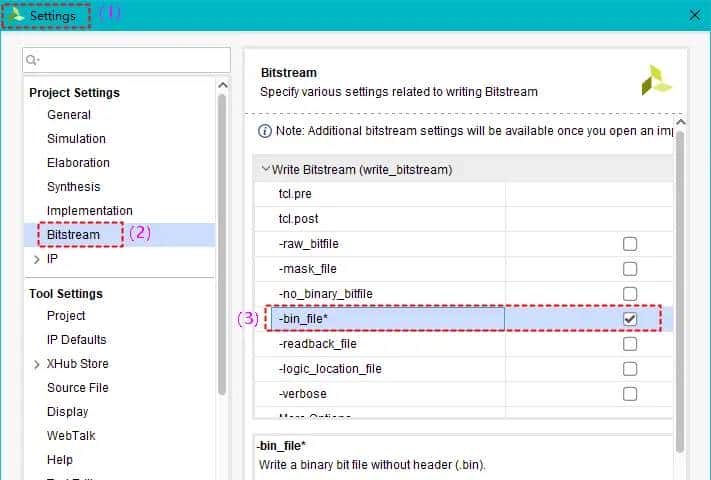
1.在Settings里勾选-bin_file选项,如图1所示。
2.添加约束文件到工程中,如图2所示。
3.编译项目即可生成.bin文件。
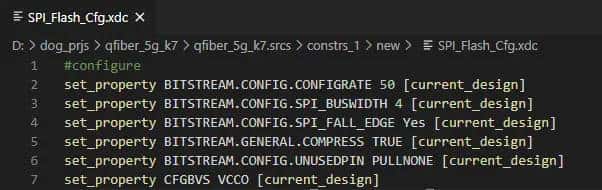
#configure
set_property BITSTREAM.CONFIG.CONFIGRATE 50 [current_design]
set_property BITSTREAM.CONFIG.SPI_BUSWIDTH 4 [current_design]
set_property BITSTREAM.CONFIG.SPI_FALL_EDGE Yes [current_design]
set_property BITSTREAM.GENERAL.COMPRESS TRUE [current_design]
set_property BITSTREAM.CONFIG.UNUSEDPIN PULLNONE [current_design]
set_property CFGBVS VCCO [current_design]
set_property CONFIG_VOLTAGE 3.3 [current_design]
1.2方法二
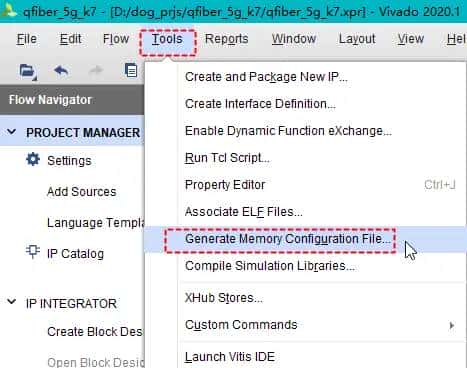
1. 选择Tools>>Generate Memory Configuration Files…,如图3所示。
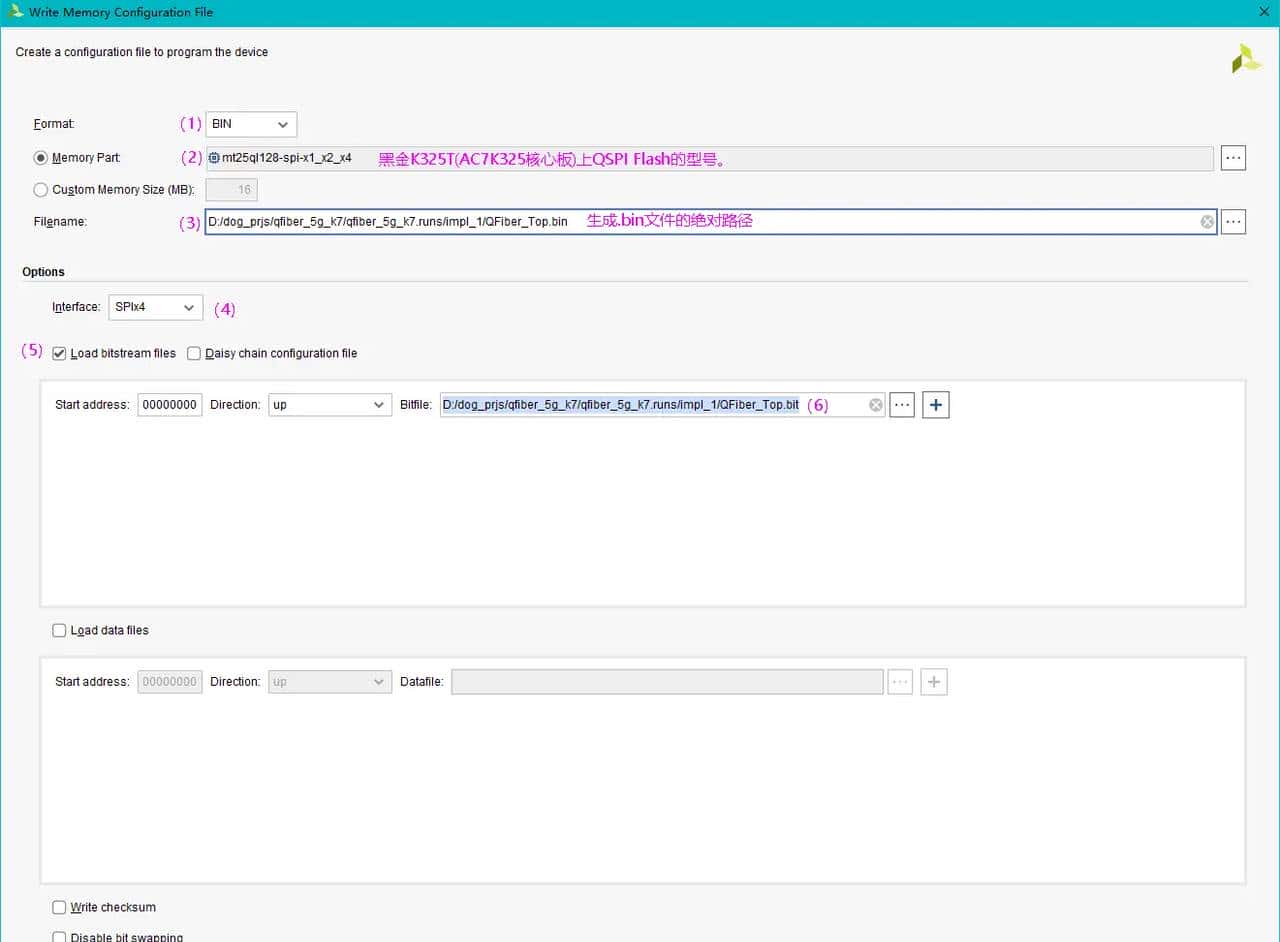
2.如图4所示,设置生成.bin的选项,然后点击OK生成.bin文件。
2.烧录步骤
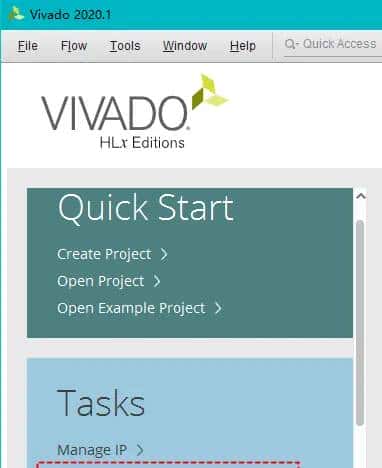
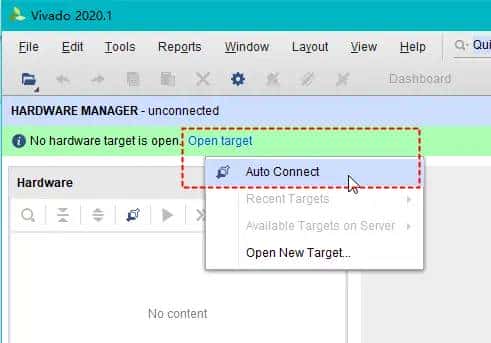
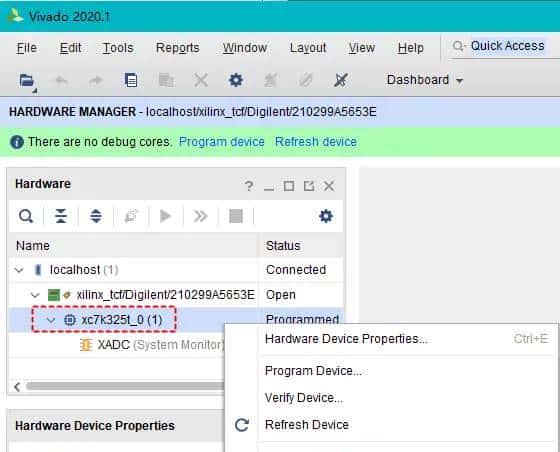
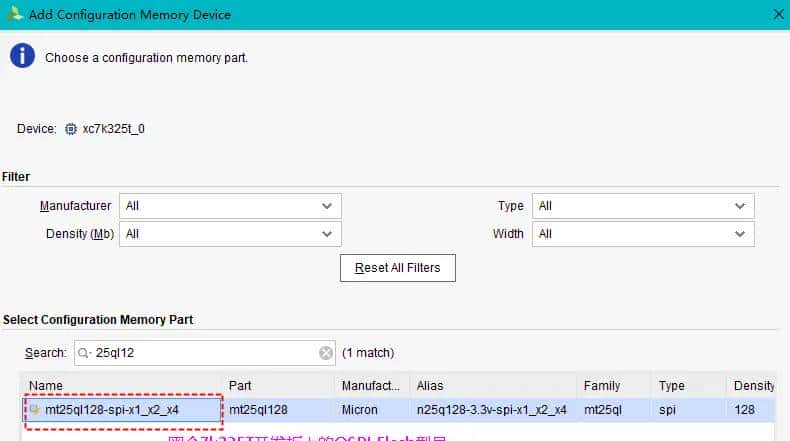
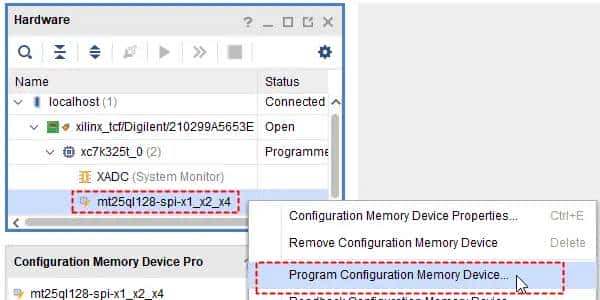
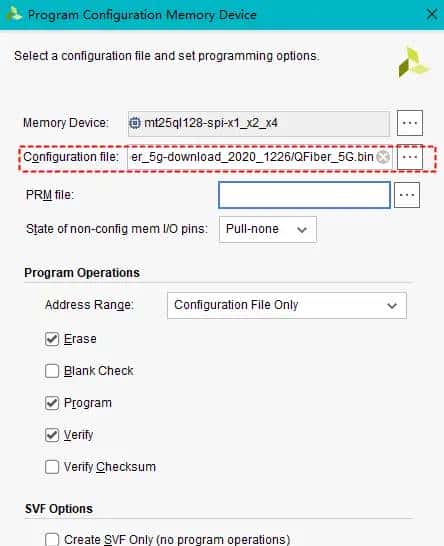
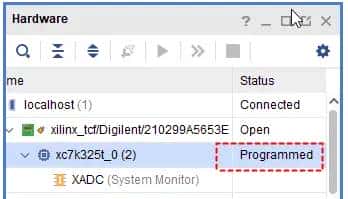
下载完毕后,先断电,拔下JTAG线。然后给板卡上电,再插上JTAG线,这时应该显示“Programmed”,表明下载成功。
© 版权声明
文章版权归作者所有,未经允许请勿转载。
相关文章




暂无评论...