
Postman许多公司测试代码的一个常用工具,掌握其用法,对我们接口的测试有很大的协助。
一、将postman的请求转成cURL
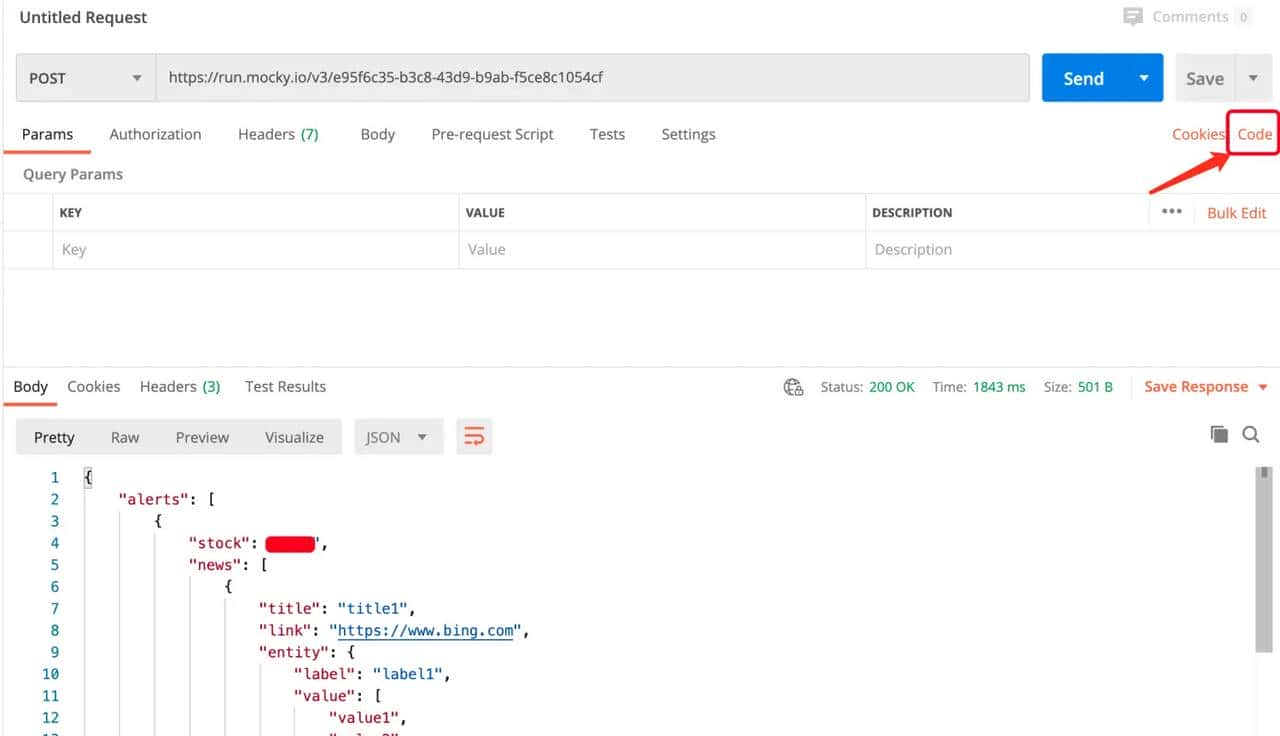
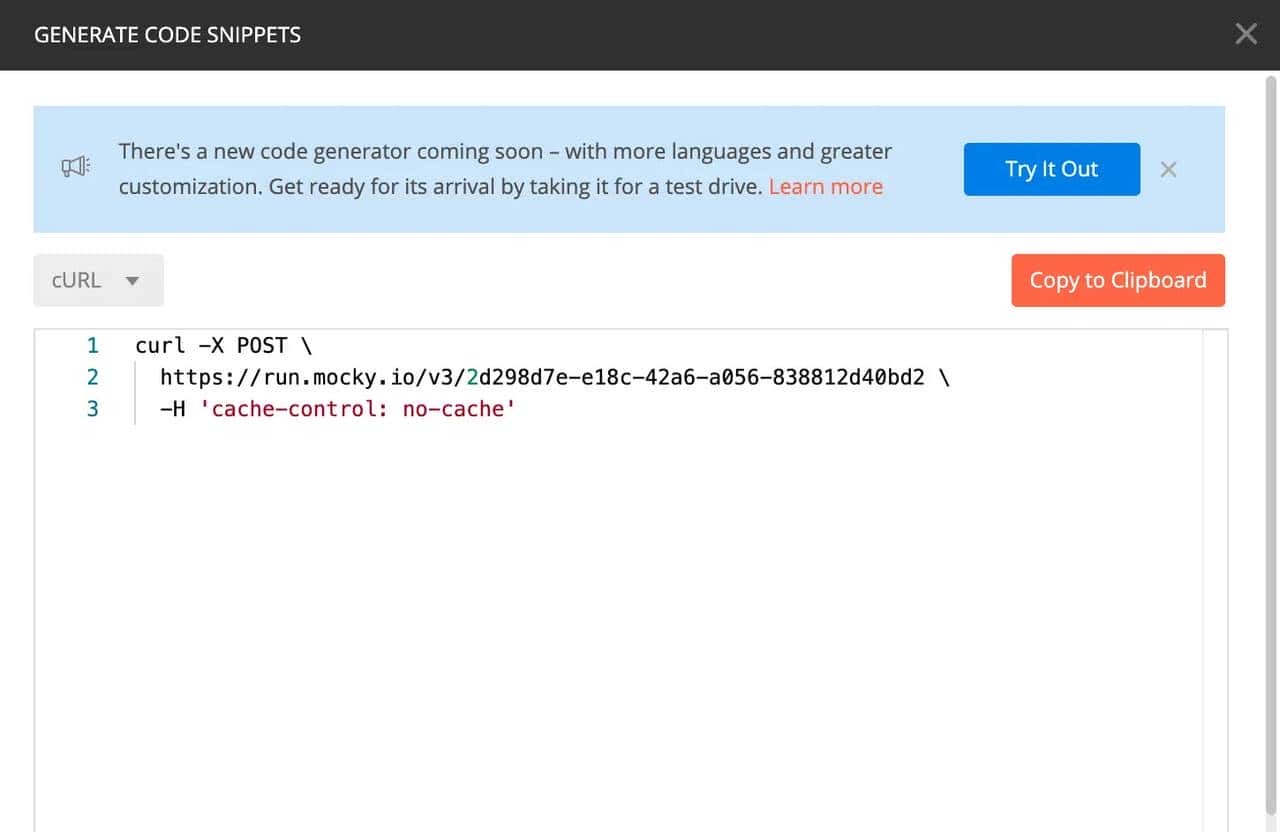
1. 构造postman请求,点击 Code
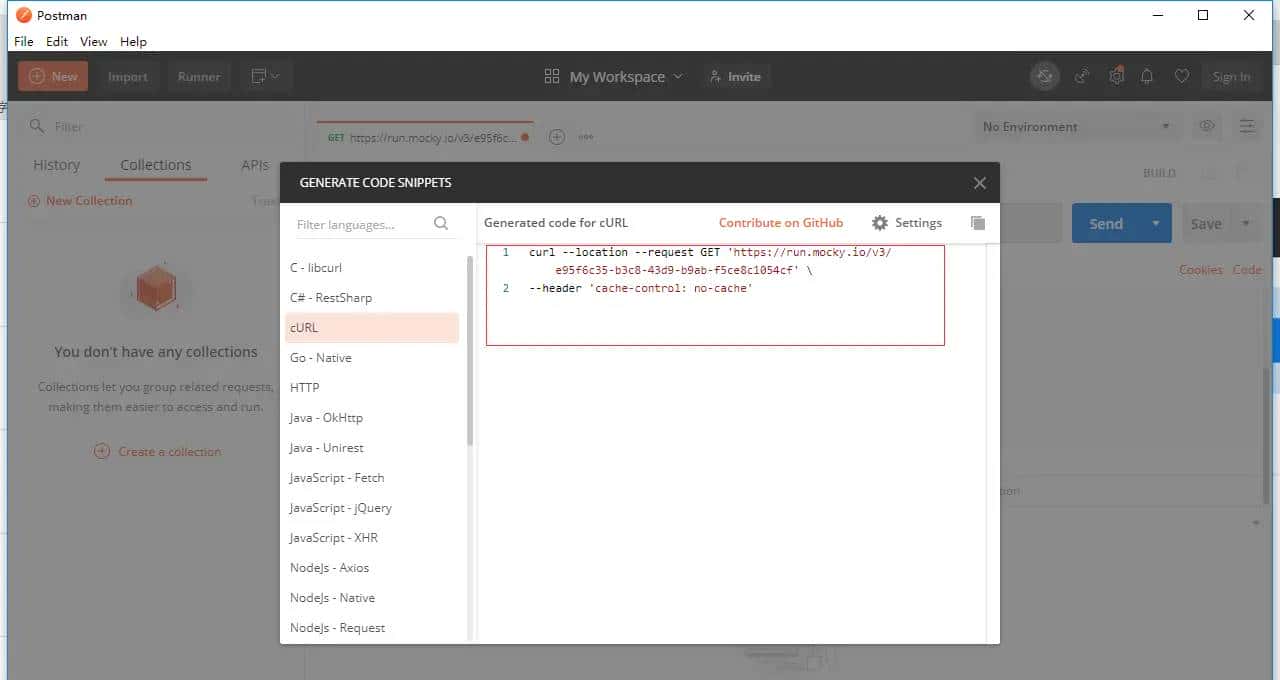
2. copy cURL 的请求链接
默认是使用长格式选项
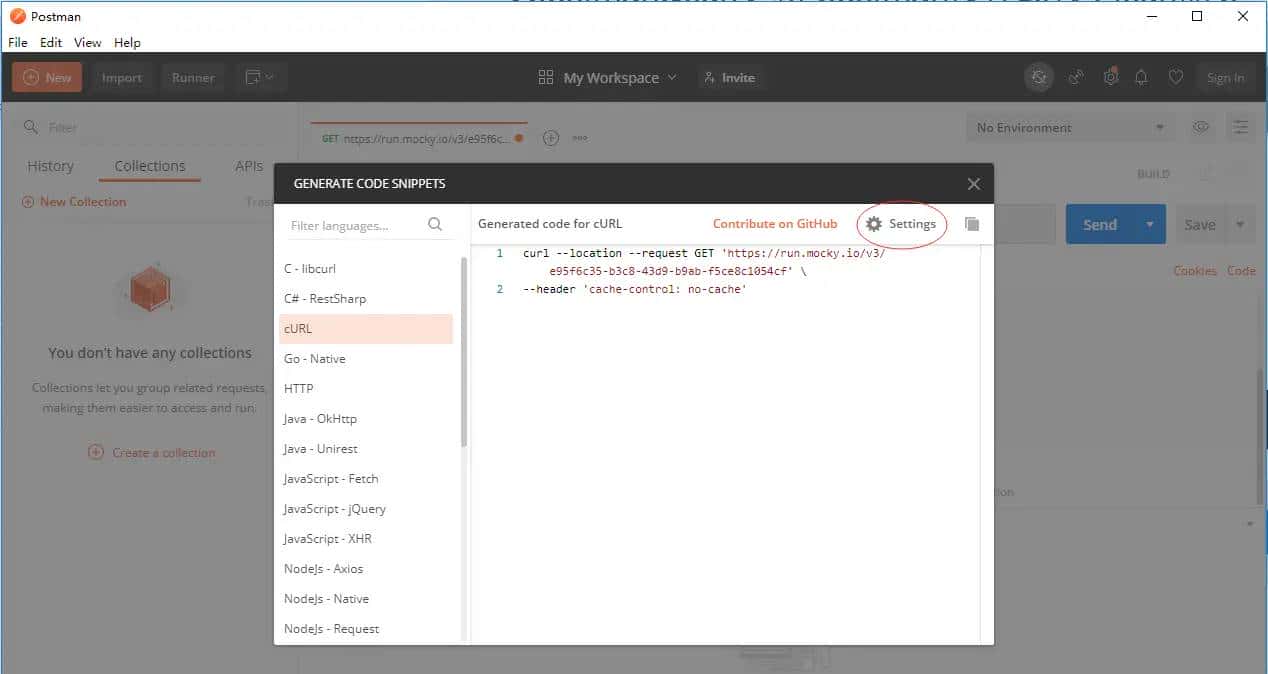
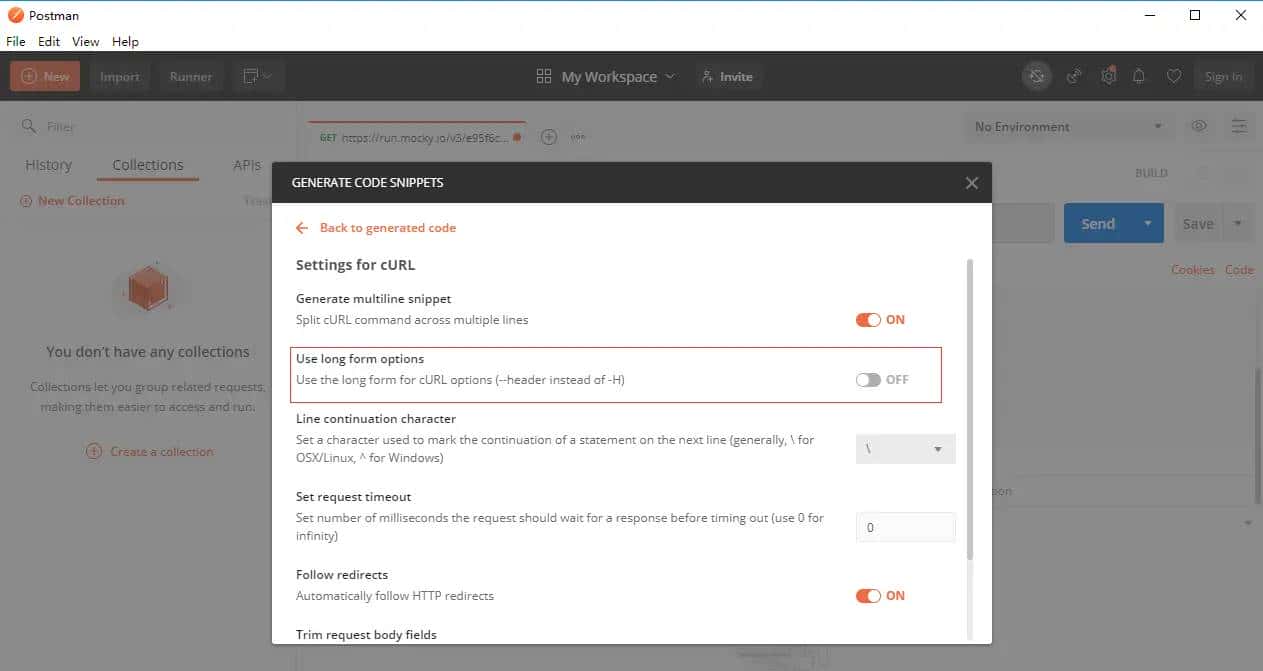
设置使用短格式选项
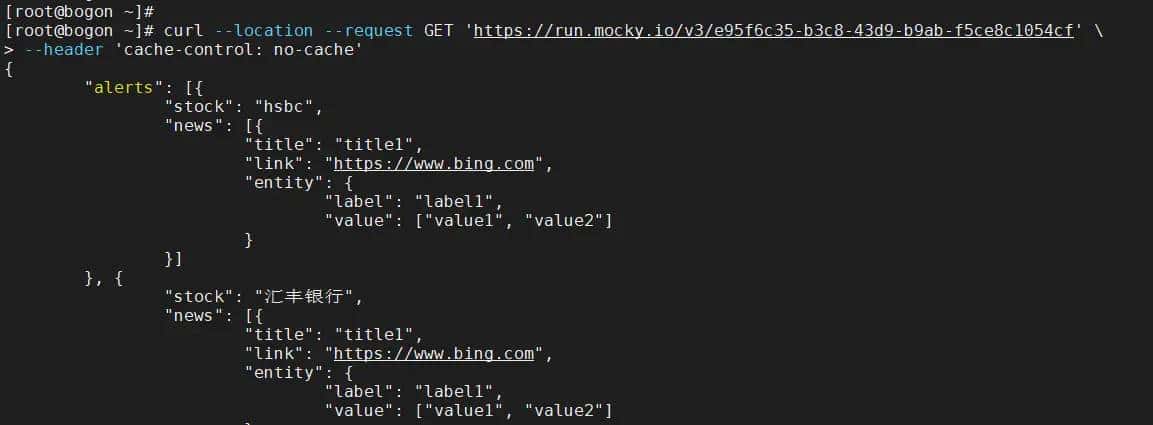
3. 在命令行执行
使用长格式选项
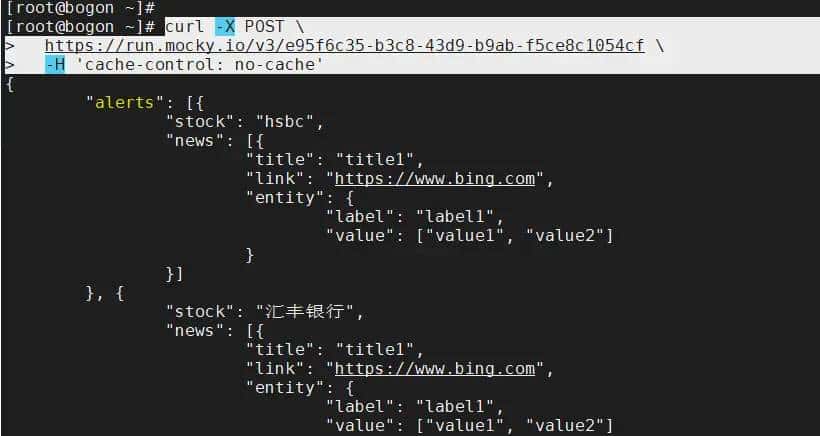
使用短格式选项
# curl -X POST
https://run.mocky.io/v3/e95f6c35-b3c8-43d9-b9ab-f5ce8c1054cf
-H cache-control: no-cache
二、利用Chrome将请求复制为 curl 格式
有时候我们想在 postman 重现浏览器上的某个请求(列如服务器上报错了,需要对该次请求调试),以往可能大家会把 url、参数、header 一个个地复制到 postman 里面,然后点 postman 的 send 发送请求。
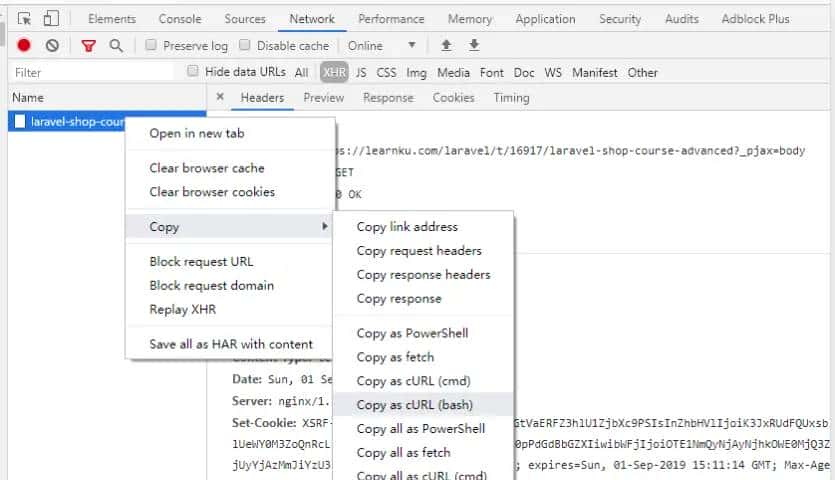
Chrome 有个很好用的功能是,把请求复制为 curl 格式。
1.右键请求 -> copy -> copy as curl
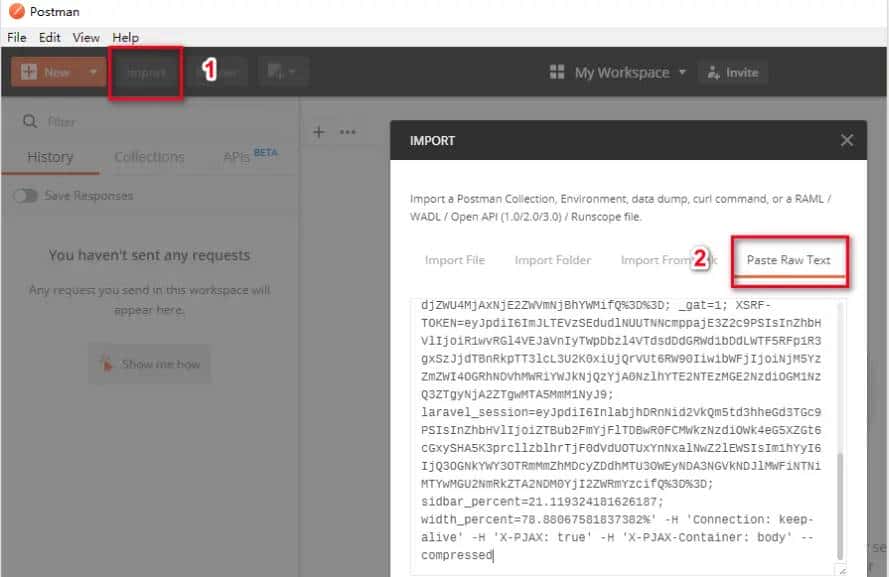
2.目前我们的粘贴板里面有个 curl 格式的请求,接下来我们打开 postman,点击左上角 Import,然后点 Paste Raw Text,然后点击 Import 完成导入
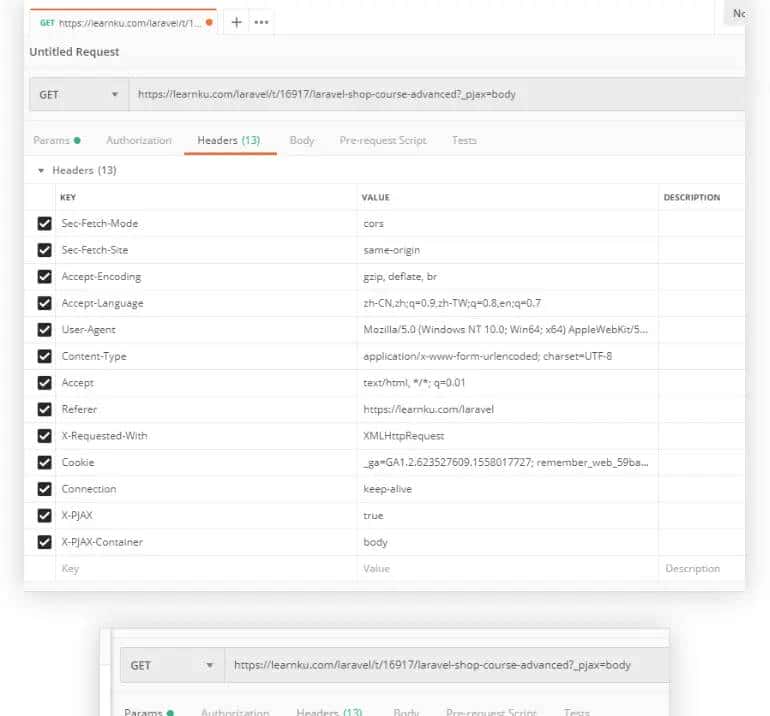
3.将请求的完整信息复制到了 postman,发送请求测试
三、参考
Postman上重现Chrome上请求的小技巧
https://learnku.com/articles/33410
将POSTMAN请求转换为Curl
https://qastack.cn/programming/49432735/converting-a-postman-request-to-curl
Postman 导出 curl命令 到命令行运行 Mac OS
https://blog.csdn.net/zgpeace/article/details/109552780
Postman简单用法以及转cURL等命令的正确姿势
https://blog.csdn.net/w605283073/article/details/94902637
Postman生成curl命令和request
https://blog.51cto.com/thinklili/2344301
postmanlabs/postman-code-generators
https://github.com/postmanlabs/postman-code-generators
© 版权声明
文章版权归作者所有,未经允许请勿转载。
相关文章



您必须登录才能参与评论!
立即登录










很有帮助,不错不错