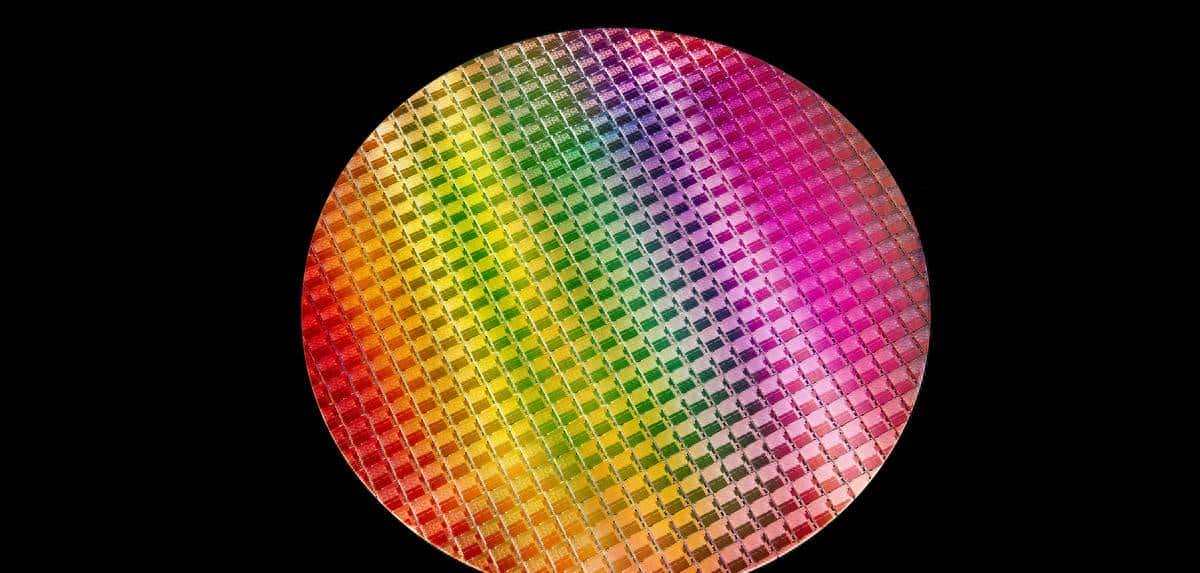
晶圆是指制作硅半导体电路所用的硅晶片,其原始材料是硅。高纯度的多晶硅溶解后掺入硅晶体晶种,然后慢慢拉出,形成圆柱形的单晶硅。硅晶棒在经过研磨,抛光,切片后,形成硅晶圆片,也就是晶圆。国内晶圆生产线以 8英寸和12英寸为主。
晶圆的主要加工方式为片加工和批加工,即同时加工1片或多片晶圆。随着半导体特征尺寸越来越小,加工及测量设备越来越先进,使得晶圆加工出现了新的数据特点。同时,特征尺寸的减小,使得晶圆加工时,空气中的颗粒数对晶圆加工后质量及可靠性的影响增大,而随着洁净的提高,颗粒数也出现了新的数据特点。
Xaml代码
<Grid>
    <StackPanel Width="600" Height="600">
    <ItemsControl Grid.Column="1" Grid.Row="1" ItemsSource="{Binding Dies}">
        <ItemsControl.Clip>
            <EllipseGeometry Center="300 300" RadiusX="300" RadiusY="300"/>
        </ItemsControl.Clip>
        <ItemsControl.ItemsPanel>
            <ItemsPanelTemplate>
                <UniformGrid Columns="20" Rows="20">
                </UniformGrid>
            </ItemsPanelTemplate>
        </ItemsControl.ItemsPanel>
        <ItemsControl.ItemTemplate>
            <DataTemplate>
                <Button Height="30" Width="30" Margin="0" Background="{Binding Color}"></Button>
            </DataTemplate>
        </ItemsControl.ItemTemplate>
    </ItemsControl>
    </StackPanel>
</Grid>
Xaml.cs代码
public class Die
{
    public int No { get; set; }
    public string Color { get; set; } = "Red";
}

/// <summary>
/// DieWindow.xaml 的交互逻辑
/// </summary>
public partial class DieWindow : Window
{
    public ObservableCollection<Die> Dies { get; set; } = new ObservableCollection<Die>();

    public DieWindow()
    {
        InitializeComponent();

        this.Loaded += DieWindow_Loaded;
    }

    private void DieWindow_Loaded(object sender, RoutedEventArgs e)
    {
        string[] colorArray = new string[]
        {
            "Blue", "Green", "Red"
        };

        Random ran = new Random();
        for (int i = 0; i < 400; i++)
        {
            int index = ran.Next(1000);
            Dies.Add(new Die() { No = i, Color = colorArray[index % 3] });
        }

        this.DataContext = this;
    }
}
运行效果图

© 版权声明
文章版权归作者所有,未经允许请勿转载。
相关文章




暂无评论...